

Documentation
Find guides and shortcode examples that show how to use TrustView features, from setup to advanced integrations, so you can easily display Trustpilot ratings and reviews on your website.
Installation Setup Shortcodes FAQ Comparison
Installing the TrustView WordPress Plugin
TrustView is available as a WordPress plugin and can be installed either directly from the WordPress plugin repository or by downloading the plugin from the TrustView website.
Method 1: Install from the WordPress Plugin Repository
- Log in to your WordPress admin dashboard.
- Go to Plugins → Add New.
- Search for TrustView.
- Click Install Now.
- After installation completes, click Activate.
Method 2: Download and Upload the Plugin Manually
You can also install TrustView by downloading the plugin from the TrustView website.
- Visit
https://trustview.io/pricing-download/ - Download the TrustView plugin ZIP file (Free or Premium).
- Log in to your WordPress admin dashboard.
- Go to Plugins → Add New.
- Click Upload Plugin.
- Select the downloaded ZIP file and click Install Now.
- After installation, click Activate Plugin.
Plugin Setup
After activation:
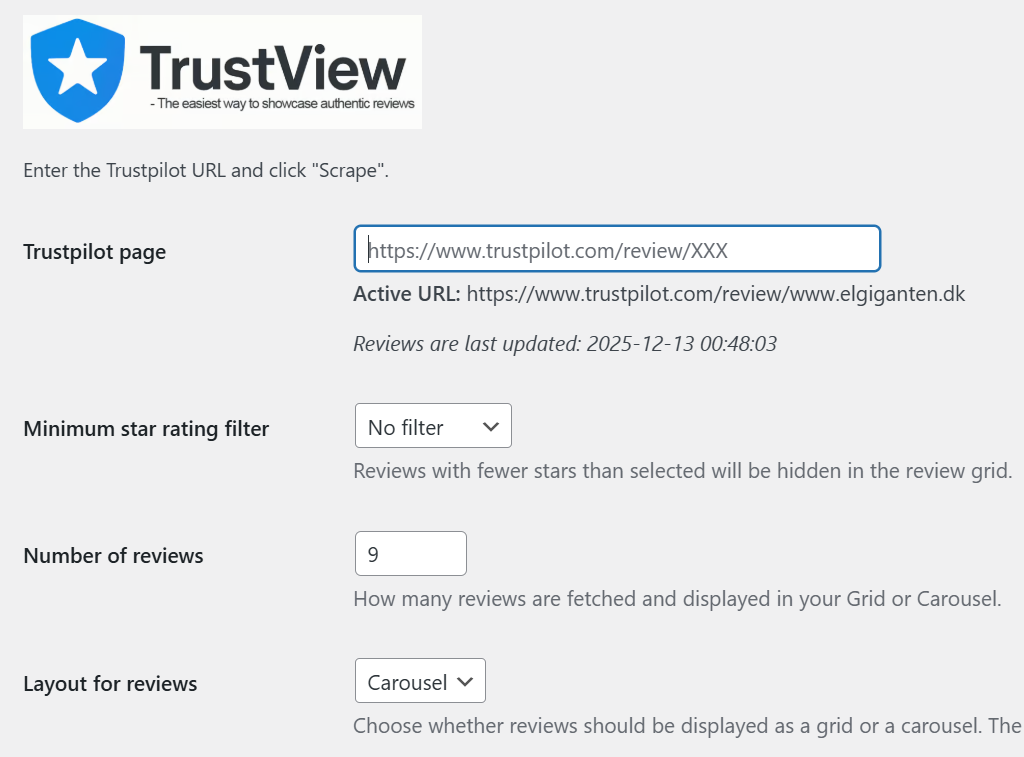
- Open the TrustView settings page from the WordPress admin menu.
- Enter your Trustpilot profile URL.
- Save the settings.
Review Filtering and Display Options
You can control which reviews are displayed and how they appear:
- Minimum star rating filter
Select the minimum star rating. Reviews with fewer stars than selected will be hidden in the review grid or carousel. - Number of reviews
Set how many reviews should be fetched and displayed. - Layout for reviews
Choose whether reviews are displayed as a carousel or a grid.
The number of reviews shown follows the value set above.
No API keys or additional configuration are required.
Using TrustView Shortcodes
Once the plugin is installed and configured, shortcodes can be added to any page, post, or widget to display TrustView content, including compact trust boxes and review carousels or grids.
Shortcode Reference
This section lists the shortcode commands that can be embedded in web content to display Trustpilot review elements (like a compact trust box, rating text, or review carousel) automatically. It shows both the shortcode syntax and the resulting dynamic content — helping you easily add trust badges and review summaries to your site.
Compact Trust Box
This part provides a review summary widget that can be embedded on any pages or post. It displays key ratings or review snippets in a compact format.
Shortcode:
[trust_scraber]
Copied!Carousel or Grid Reviews
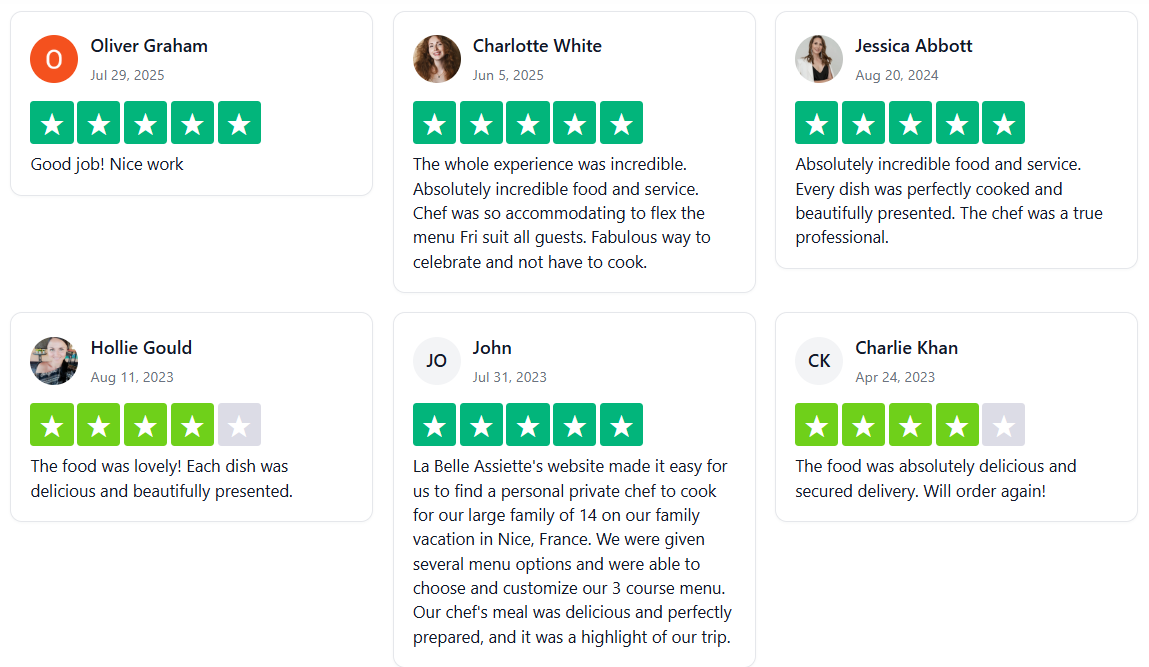
Here you’ll find actual customer reviews presented either in a carousel (Premium) or grid layout. These are pulled automatically to show real feedback from users.
Carousel
Shortcode:
[trust_scraber_reviews]
Copied!Grid layout
Rating Text Shortcode
This snippet shows how the platform generates dynamic text like “We’re proud to be rated X on Trustpilot” using a shortcode system — useful for customizing content.
Shortcode:
We’re proud to be rated [trust_scraber show="rating"] on Trustpilot.
Copied!Result: We’re proud to be rated on Trustpilot.
Reviews Count Shortcode
Similar to the rating, this is a dynamic shortcode that displays the number of Trustpilot reviewers, e.g., “⭐ Rated by [number] customers on Trustpilot.”
Shortcode:
⭐ Rated by [trust_scraber show="reviews"] customers on Trustpilot.
Copied!Result: ⭐ Rated by 288233 customers on Trustpilot.
FAQ – Functionality and integration
Which platforms can TrustView pull reviews from?
TrustView is designed to integrate with Trustpilot, allowing you to aggregate and showcase your best customer feedback in one unified widget on your WordPress site. Ensuring your website always reflects your most recent and positive customer feedback.
Can I customize the look of the review widgets?
Yes. Our documentation covers how to use the built-in design settings to customize colors, layouts, and styles so the widgets match your brand perfectly.
Will I need to manually add new Trustpilot reviews to my website?
No. With the Premium plan, the system performs an automatic sync every 24 hours, ensuring your latest customer feedback is displayed without any manual effort. In the Free version you are able to refresh data manually.
Is there a cap on how many reviews I can showcase?
Yes, on the Free tier, you are restricted to displaying only 3 reviews. Upgrading to Premium removes this restriction, allowing for unlimited review display.
What kind of visual options do I have for displaying my reviews?
While the Free version only offers basic Grid and Compact Badge views, the Premium plan grants access to all layout styles, including Carousels, full Grids, various Badges, and Competitor Ratings.
Can I customize the widget so it doesn’t show the “TrustView” logo?
Yes. The Premium version allows you to hide the “Powered by TrustView” link at the bottom of your widgets, giving your site a cleaner and more professional look.
Can I choose to only show my best reviews?
Absolutely. The Review Filtering feature allows you to set a minimum threshold, so you can choose to only display reviews that have a 2, 3, or 4-star rating or higher.
What happens if I run into a technical issue?
Premium users receive Priority Support, which guarantees a response from the technical team within a 24-hour window to help resolve any problems quickly.
Comparison: Free vs. Premium
| Feature | Free Plan (The “Starter” Experience) | Premium Plan (Professional Showcase) |
| Review Updates | ❌ Manual: You have to update them yourself. | ✅ Automatic: Syncs from Trustpilot every 24 hours. |
| Quantity | ❌ Limited: Can only show a maximum of 3 reviews. | ✅ Unlimited: Show every review you’ve ever received. |
| Visual Variety | ❌ Basic: Restricted to Grid and Compact Badge. | ✅ Full Access: Carousel, Grid, Badges, and Competitor Ratings. |
| Quality Control | ❌ None: No built-in way to filter by stars. | ✅ Smart Filtering: Hide low-star reviews (2, 3, or 4+ only). |
| Brand Identity | ❌ Co-Branded: Includes “Powered by TrustView” link. | ✅ White-Label: Removes all TrustView branding. |
| Support | ❌ Standard: General queue for help. | ✅ Priority: 24-hour response time from tech experts. |